When I first shipped OTPilot, the setup required you to paste in your base32 TOTP secret manually. That’s fine if you’re a developer, but it’s a dealbreaker for everyone else.
So I went back and rethought the onboarding from scratch — and the result changes what OTPilot actually is.
The big new thing: automatic account detection
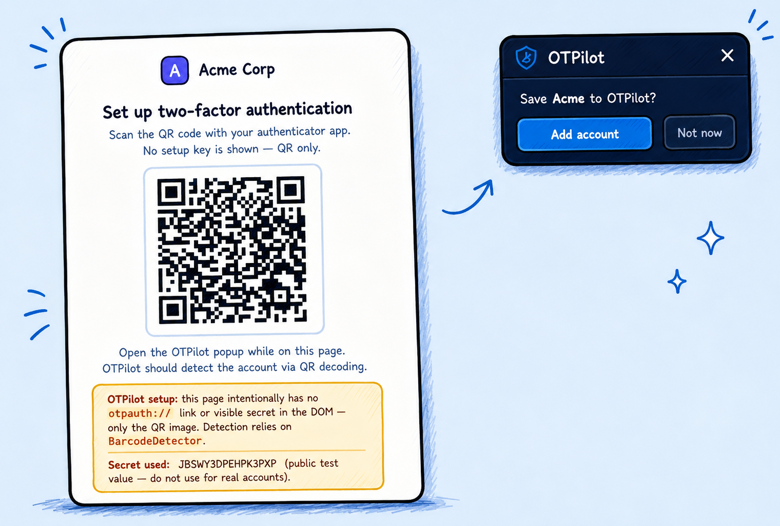
When you enable 2FA on any site, that site generates a secret and usually shows you a QR code. Hidden in that QR code is a standard URI that looks like otpauth://totp/GitHub?secret=.... OTPilot now scans the page for that URI automatically — no QR scanning, no copy-pasting — and shows a floating card: “Save GitHub to OTPilot?” One click, done.

That’s it. You never see a base32 string. You never open the extension popup during setup.
Also new: inline unlock
If OTPilot is locked and you land on a page it’s supposed to fill, it now shows an unlock prompt right on the page — password field and all. You type your master password, press Enter, and it unlocks and fills in one step. No pop-up needed.
Where this is going
The original pitch was “for devs who hate copy-pasting code.” The new direction is more ambitious: a general-purpose authenticator that anyone can use, with the same privacy guarantees (fully local, no servers, no telemetry, no accounts).
Still free, still open source. If you’ve been following along, thank you — this one feels like a meaningful step forward.