OTPilot started as a personal itch: auto-fill TOTP codes on login pages without touching the phone. It’s still that. But v1.0.0 adds the one feature a local extension can’t do alone: your accounts follow you everywhere.
Cloud sync - encrypted, zero-knowledge
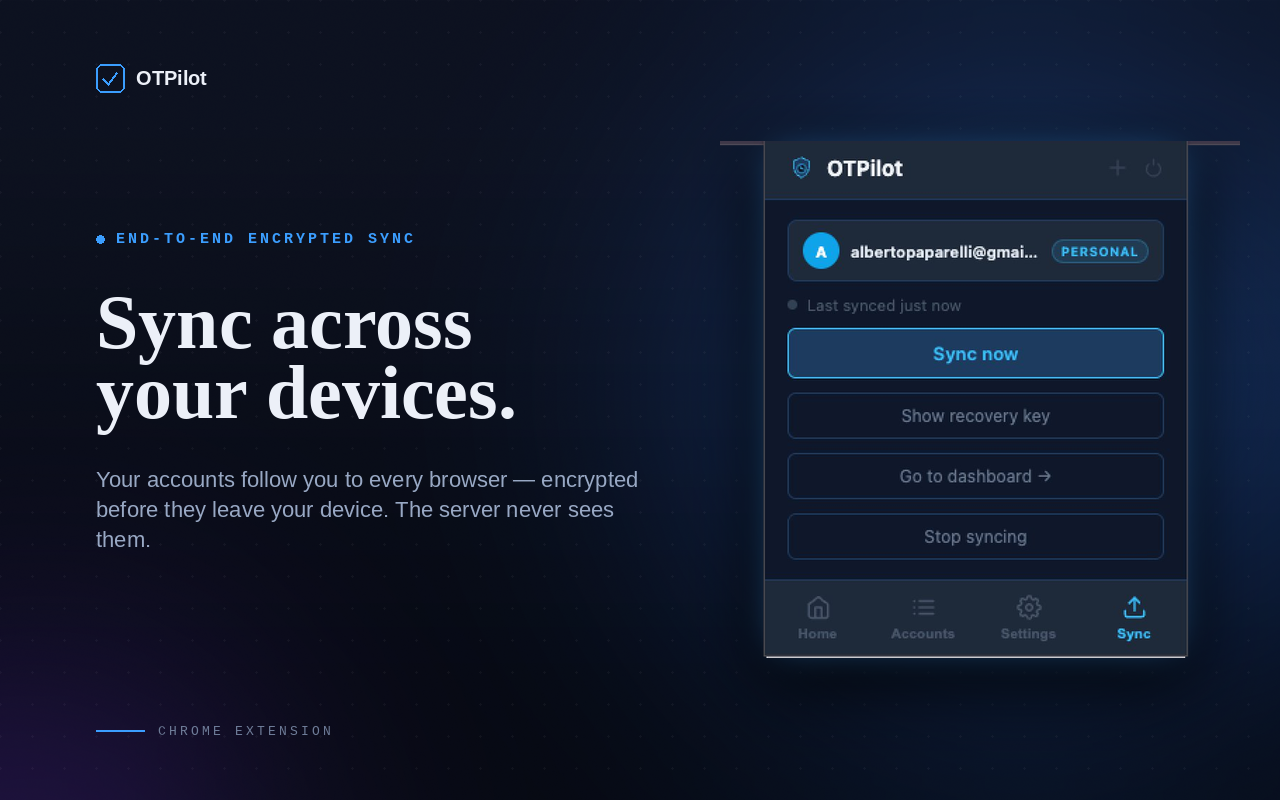
The big one. Accounts are encrypted on your device before they leave it. The server stores a blob it can't read. Only you hold the key. A recovery key is generated on first setup; lose your password and that key is the only way back in.
Sync is not a background afterthought. It’s merge-aware: if two browsers edited the same account simultaneously, both versions survive and one is marked (conflict) so you can decide. If you deleted an account on one device, it propagates to the rest. No ghost accounts reappearing on the next open. Each account carries a timestamp; when edits happen sequentially, the newest version wins cleanly.
Beyond correctness, sync is also fast:
- Any change triggers a sync immediately after saving. No timer, no window to lose data.
- The extension polls while the browser is open.
- Opening the popup always runs a full sync: pull if the server is newer, push if local is newer, merge if both changed.
Device management
Syncing across devices means you need visibility over what’s connected.
Every browser installation gets a stable device ID. The web dashboard has a new Devices page listing every connected browser: name, OS, last sync time, and full sync history. From there you can:
- Disconnect a device: the next time it syncs, it loses access and stops syncing.
- Remove a device: same as disconnect, but also wipes all local OTPilot data from that device on next sync.
When a new browser syncs your vault for the first time, you get an email. Useful for catching unexpected access without having to check the dashboard manually.
Master password, now front and center
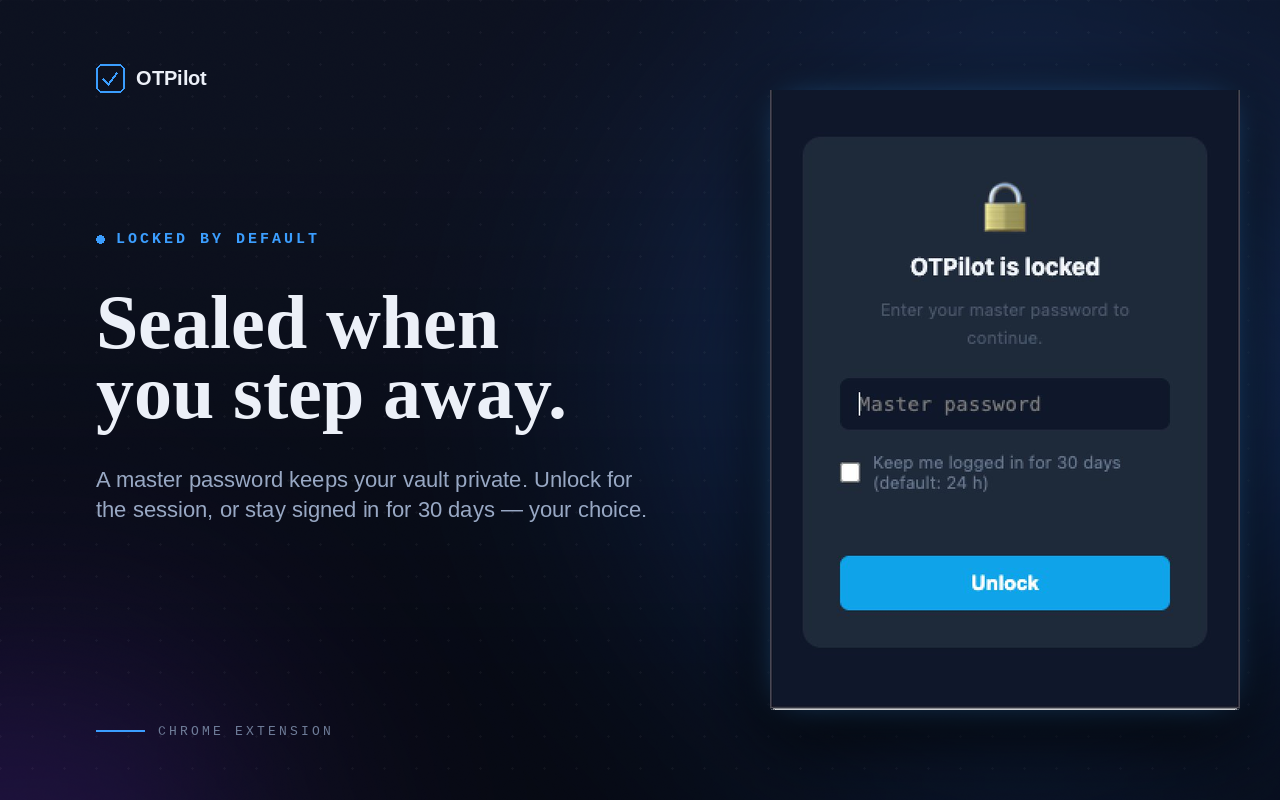
The master password was already there in v0.0.1, but with sync it matters more. Your vault is locked by default. Unlock for the session or stay signed in for 30 days, your call. If you forget the password, the recovery key is the only way in. The extension is explicit about this: there's no "reset password" flow, because a reset would require the server to see your secrets.
Accounts view, grown up
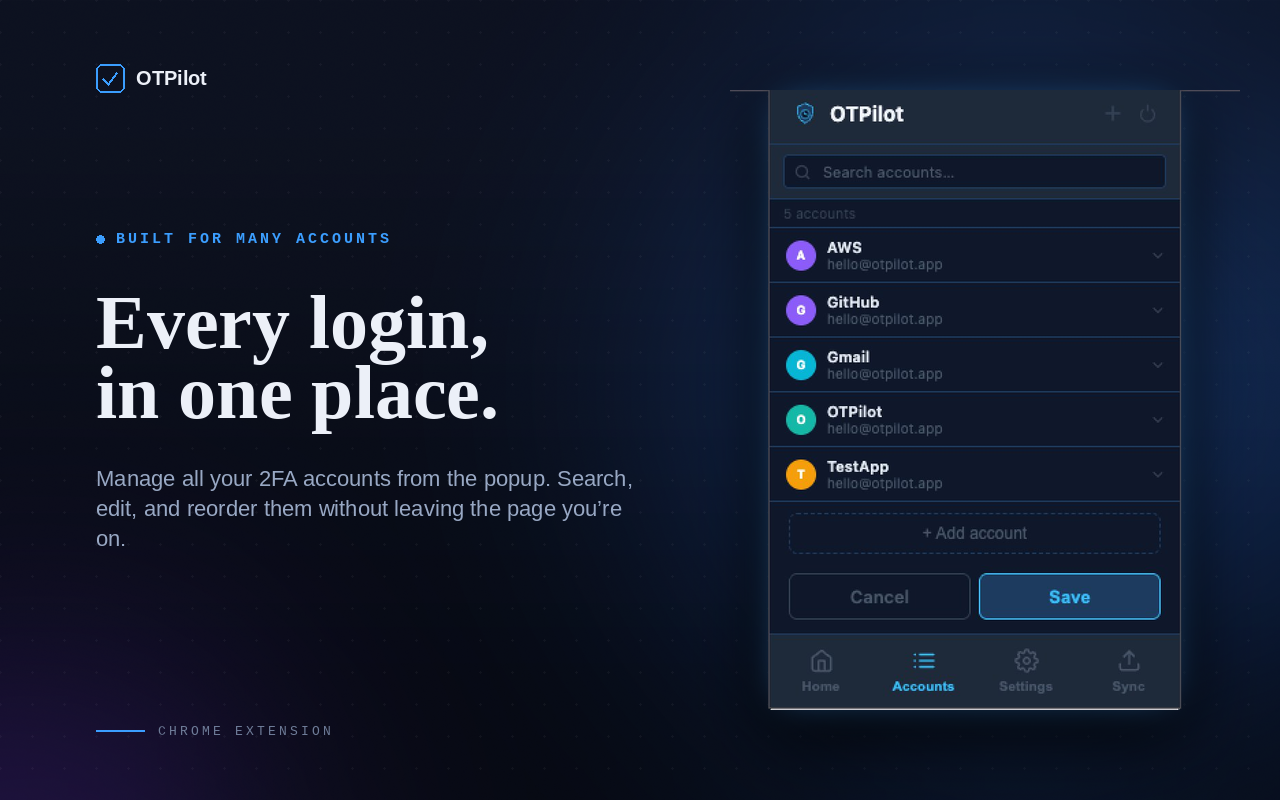
The account list now shows a sign-in button at the top when sync is enabled, and the sync panel is a dedicated tab in the bottom nav. Accounts still follow the compact accordion design from v0.0.5: searchable, alphabetical, fast. But everything now has a place that makes sense as the extension grows past "just the local tool".
The plan
Cloud sync requires a server, and a server costs money to run. The personal plan is a one-time $15 to unlock cloud sync. Paying once covers the cost of running the infrastructure. No subscription, no recurring fees.
If you already have all your accounts set up and just need local autofill, nothing changes. The free tier still does everything the first five versions did.
otpilot.app
The extension now has a home: otpilot.app. The landing page adapts to your browser. If you’re on Chrome, it shows the install button directly; Firefox and Safari are listed as coming soon with a Chrome fallback. The dashboard at /dashboard shows your plan, last sync time, connected devices, and billing.
If you try it, I’d love to hear what you think. What’s missing? What’s confusing? What would make you actually use it every day? Drop a comment below or reach out directly.
It’s free to install from the Chrome Web Store. Source code is on GitHub.